
“Formula” for writing a compelling speech (or Op-Ed)

Here’s a simple but powerful “formula” for writing a solid speech or op-ed. I’ve adapted it from the framework taught to me by veteran editor David Beers in the context of writing op-eds. It works: in my years supporting non-profits in their media and marketing work, every op-ed I wrote using this basic formula was placed successfully.

The AnnoucementA few months ago my teenaged son was struggling with getting started on a speech for his English class. He had a stack of research notes and a ton of ideas (who knew that a tree sloth can hold its breath underwater for up to 40 minutes?), but was at a loss as to how pull it all together. I explained that early in my communications career, my friend and mentor, veteran journalist David Beers, laid out a simple but brilliant formula for writing op-eds. Over several years helping non-profit leaders create and place op-eds, I found it to be nearly foolproof. Happily, I discovered that the formula is also fantastic for getting started on a compelling speech. And while a beautifully crafted speech defies any pat formula, a simple framework can help get those creative and intellectual juices flowing. So, here’s the basic idea, starting with my own addition: beginning with a story. For the rest of it – apologies to David, as I’ve almost certainly mangled his original sage advice!

Here’s the overview, followed by some detail:

  1. Start with a story
  2. Provoke with a compelling hypotheses or main argument
  3. Back it up with 3-5 supporting points or ‘validators’
  4. Describe the solution or call to action
  5. Circle back to the opening hypotheses (or story)

1. Start with a story…

As virtually every communicator should know by now: start with a story. It could be anything: a personal experience, or one recounted to you; a current news story; a hypothetical or fictional story. As the authors of “Made to Stick” describe so well, stories are “sticky” because they engage an audience’s imagination. When we hear a ‘vivid’ story, we literally see pictures in our minds, and in some ways experience the emotions and physical embodiment of the described experience. This dynamic can transform the audience-speaker relationships. As master communicator and brand strategist, Bill Baker, explains, “starting your presentation with a story helps you break through their cynicism, lower their defenses and get your audience to see you as a person, not just a presenter. In turn, this makes them more likely to connect with you, trust you and listen to you.”

Typically, I encourage speakers to think about a few basic elements: setting and characters (it’s ‘stickier’ to see actual pictures in our minds, not just hear about concepts), some sort of tension or ‘quest’, action, and resolution. There are probably a dozen frameworks or elements taught to help create stories; that’s just one approach. I tend to push the visual. At public speaking trainings for the Center for Progressive Leadership and Simon Fraser University I would ask participants to pair up and tell stories that were so vivid their partners could actually draw something to capture the tale.

Your initial audience engagement doesn’t have to be as rigid as a classic story, however. You could:

  • start with a brief visualization (“picture this: you’re driving along Highway 99, when suddenly…”)
  • ask a question that invites the audience to ponder their own perspective before sharing yours (“How do you discern between a genuine and token apology?”)
  • ask for a show of hands to demonstrate some particular common experience (“how many here arrived by public transit?”)
  • share a powerful quote, or poem
  • read out a topical news headline
  • … or something else

2. Launch into your big compelling hypotheses, position or argument

This is fairly straightforward. What’s your main argument or hypotheses? It should be provocative and compelling in some way. It could just be one statement, like, “When it comes to green tech innovation, Canada is teetering on the cusp of become either a global superstar or an industry laughing stock. Here’s why…”

3. Back it up with supporting points

Next, follow with three to five supporting points or ‘validators’ that back up your main argument. You could transition from the opening position statement above with, “consider this”… then follow with your ‘evidence.’ These supporting points could include statistics, facts, even another story – anything to “back up”, prove or make the case for your key position.

4. Clarify the ‘call to action’

For any kind of social change argument, this is where you lay out the solution: what’s your “call to action”? For whom – who is responsible, and what should they do, exactly? If it’s appropriate, you might also describe the next step. And if there’s a role for the audience to play – even better.

5. Circle back to your opening

Here’s where you wrap it all up with your closing paragraph or statement, circling back to the beginning. Basically, this is where you figuratively say: “Snap! See, that’s why I stand by my argument or position”. It could be a sentence or two related back to your opening story (maybe this is where you roll out the story’s ‘ending’), or your main position, or both.

Beyond the Formula

And again – truly transformational speeches are like works of art – there is no definitive recipe for their creation. For some of the deepest, most powerful resources in the field, check out veteran public speaking trainer Gail Larsen’s Real Speaking site and blog. Gail offers both executive coaching and small-group intensive trainings out of both the US and western Canada (I’ve taken two of her workshops), and her book, Transformational Speaking, is invaluable.

Communicating with your Virtual Team, Part 2: Facilitating Conference Calls

Some of us feel like we spend half our lives in meetings – mostly by conference call. Here are a few tips to make the time snappy and productive.

Last week I facilitated a short planning session by phone for a virtual team. In the brief post-meeting evaluation, I was struck with how happy the group was about such commonplace meeting format. It got me reflecting on a couple of best practices I use as a facilitator to make the most of conference calls:

1. Do a POP: as with any meeting, clarify the Purpose, Outcome and THEN the Process before calling the meeting, and at the beginning of the call. For example:

  • Is the PURPOSE of the call to plan an upcoming strategy session with the whole board – or just to share information?
  • Is the desired OUTCOME to make a clear decision, or simply some shared context across a group that will be planning together in the future?  

Then clarify the PROCESS, especially:

  • What prep is needed? Is there any pre-reading that needs to be circulated in advance? 
  • How long do you have for the total call?
  • What are the priority agenda items?
  • How much time will each topic need?
  • Who is facilitating? Presenting?
  • Who’s taking notes, and how will these be distributed
  • Who’s on the call?

2. Practice “Conocimiento: Always start with a brief check-in.  As my Rockwood co-trainer Michael Bell continually reminds me, “go slow to go fast.”  It’s not just a lovely thing to do: at the end of the day, teams that have taken the time to build trusting human relationships tend to function more efficiently and creatively,  especially during times of crisis, stress or when rapid-response is called for.  So take just a few minutes, even on a conference call, to share appreciations and see how everyone’s doing. One great simple question to ask is, “where are you right now – what are you looking at?”  When we engage our mind’s eye in seeing our fellow callers, it brings us that much closer together, even as disembodied beings.

3. Use frequent “rounds”, and call people out. In a face-to-face meeting, facilitators are trained to do the opposite – we avoid calling on people by name, because it could force some to participate in a large group when they’re not ready or willing; it can be pushy or disrespectful. But on conference calls, I can’t read the body language of people wanting to speak. If I simply ask “what does everyone think”, we risk:

  • Vast, excruciatingly long silences
  • Only hearing from the same 2 brave and hasty souls who happen to jump in really fast each time a question is called
  • Repeatedly having two or more people tripping over one another as they jump in at the same time.

So I keep the list of participants in front of me and simply do ‘rounds’ – calling the name of each person on the call in order.  This is especially important when we’re capturing decisions.

4. Stay abreast of the tech: Technology to facilitate interaction for remote groups is quickly becoming effective and affordable. More groups and trainers I know are now experimenting with Maestro or similar systems aimed at maximizing group participation in a strictly auditory environment (i.e., you can do small group breakouts AND still wear your pajamas!).  They not only allow up to dozens of participants to call in to one central line from anywhere in the world, but people can ‘raise their hands’ to ask questions or offer comments, with the moderator tracking it all on a web-based dashboard. Participants can also be broken out into small groups for more intimate discussion, with auditory facilitators supporting the conversations or ‘lurking’ until needed.  Of course, people can be looking at shared documents at the same time, even using simple web-based collaborative platforms like Google Drive, that allow multiple viewers to edit the same document in real time, with colour-coding or other visual cues indicating who is making what changes.

5. Commit to continual learning:  Even if you don’t have time to do a brief evaluation at the end of every meeting, commit to doing it after every two to three calls.  Honest, direct, kind feedback is the only way individuals and teams can learn about what to keep doing or do more of, and what to avoid, in order to maximize their future performance.  At the end of the day, social change leaders are aiming for results – and a continual practice of giving and receiving skillful feedback can help us achieve more powerful results with less effort in the long run.

For other great tips on virtual teams, see:  http://blogs.hbr.org/cs/2013/04/how_to_avoid_virtual_miscommun.html  and

http://blogs.hbr.org/cs/2011/03/how_to_conduct_a_virtual_meeti.html

Communicating with your Virtual Team, Part 1

Here are a few of my best tips and practices for communicating across virtual teams: when to use email, phone, videoconference and precious face-time to maximize relationships, power and results.

Last week I was in New York co-facilitating a training session on communications in the context of teams, partnership and collaboration. One of our participants raised a familiar question: what do you do when your team is “virtual”?  In fact, either due to budget constraints or concern about their carbon footprint, non-profits are increasingly communicating remotely – and some tips and best practices are floating to the top. Here are just a few:
Face to face: This is still the gold standard of all communication. And, until we’re all sporting our own personalized holoprojectors, this isn’t likely to change. Research shows that more than half of all human communication is conveyed through body language; another third is conveyed through tone. The key for virtual teams is to carefully maximize precious face-time: make it count.  Choose face-to-face meetings for building relationships and  anything requiring creativity, synergy, complex decision-making, any sort of visual planning or strategizing and especially for ‘courageous conversations’ (a ‘courageous conversation’ is one where “opinions vary, stakes are high, and emotions run strong”).  For things like basic information-sharing, use well-crafted, pre-circulated briefing notes, webinars, written communication, conference calls – but save your costly face to face time for the high-octane, high priority work that can’t get done well through any other format.

Phone: I confess: when a conversation could get a bit complicated, sometimes my Inner Coward would rather hit the keyboard than risk the more intimate, two-way and possibly lengthier mode of communicating in real-time. Sadly, that ‘safety’ is an illusion. Courageous or complicated conversations often get messier – which gets MORE time-consuming and complicated, not less – due to the sheer limitations of text-only communications. So pick up the damned phone, already!

Better yet: use Skype video or Facetime.  At least then you can benefit from at least choppy and partly pixelated facial expressions to go along with the full range of vocal tone.  In fact, all of my current coaching clients live in other cities – so all of our sessions are by skype video or phone.  This honestly feels almost as impactful as face-to-face – as long as I use the following practices:

  • Make sure I’m in a comfortable, quiet place
  • Turn off all unnecessary devices and monitors. Let’s face it, most of us are completely ADHD now with our devices – so I chooseto get rid of the temptation altogether.
  • If I need my laptop for note-taking, I at least turn off all other programs and close all tabs – again, removing the temptation to get distracted by the endless flow of incoming messages
  • Minimize all visual stimulation (no TV in the background or staring out my window at the unfolding dramas of the street below…)
  • Stay present. Of course, this is really what it’s all about. I strive to practice using the ‘muscle of my attention’, over and over, to come back to the present moment and make the most of our time together as disembodied beings. It makes a MASSIVE difference.

Email: Email is the main way more people over 20 years old communicate. It’s super-efficient, easy to copy and forward to others, easy to include links to further information…  It’s also tricky,  especially for more complex or ‘difficult’ conversations. Did that exclamation mark convey happy tail-wagging enthusiasm – or is the writer shouting at me? Was that period at the end of the sentence a calm, gentle downtone – or an abrupt, sardonic hiss? For any complicated conversations, avoid email. It’s really a last resort, with the greatest potential to create misunderstandings and time-consuming messes that then have to be cleaned up.

For everyday email, please, here are a few basic practices to minimize digital clutter and spare your colleagues the torture of endless unnecessary email threads:

  1. Don’t squander the CC field. Make sure anyone who MUST be copied is – and not one person more
  2. Pause before blithely pounding on the “reply all” key: Really. Does EVERYONE need to know that yes, you liked the article or no, you can’t make the meeting?
  3. POP it: clarify your desired purpose and outcome in the subject line. Is your email for information only? Urgent action? Calendarizing? Feedback? Decision? Start doing this – and better yet, get your whole team to adopt the practice – and you will be an Email Efficiency hero, I promise. It’s smart, helps others focus on what’s important and yields faster results for everyone.
  4. Use “priority flags’ sparingly. Otherwise, you risk sounding endlessly hysterical. Just as bad, you’ll be seen as the kid who ‘cried wolf’ once too often, and everyone will start ignoring your flags anyways.

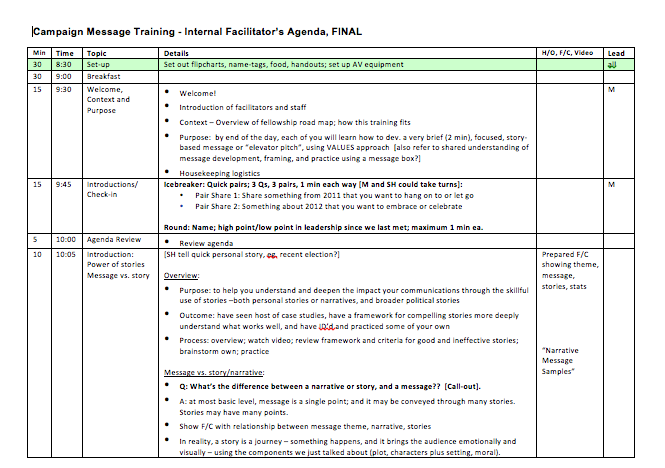
Agenda design: Troubleshooting “heading rows repeat” in long agenda tables

OK, this is an unusual post for me, as it concerns a dorky little technical formatting problem that’s been ticking me off – and I’ve finally solved it. As a facilitator, I’m constantly working with fairly lengthy tables in Word. And sometimes they get all pissy on me and refuse to do what I want. Ugh! This happened just now: I’m preparing a detailed facilitator’s agenda for an upcoming training, in table format. It’s both for my eyes, and those of my client. I need the heading row to repeat on each of the 14 pages of this table, as it sets out the minutes needed for each agenda item, the time, the detailed activities and any visual tools (flipcharts, handouts, videos etc.) needed, so it’s really helpful to have it show at the top of each page. I’m working with Microsoft Office for Mac 2011, and of course had already selected the first header row, then chose “Table”, “Heading Row Repeat”. But suddenly, “Heading Rows Repeat” stopped working.  I hadn’t added any manual page breaks.  So, fellow facilitators, if you’re having trouble getting “heading rows repeat” to work in Word, here’s the solution:

Go to “Tables” in the menu bar; select “Table Properties”; click the “Table” tab; then make sure that the “Text Wrap” option near the bottom of the dialogue box is selected to “None”.

That’s it! Simple solution to a minor annoyance that’s plagued me for a couple of years. If that doesn’t work, then either you’re looking at the wrong view (repeated heading rows only show in Page Layout view) or your table may be corrupted (can’t help you with that).  Happy agenda-crafting!

This is the kind of agenda where Heading Rows Repeat is really helpful

The power of Testimonials

Testimonials are one of the most powerful tools in an organization or consultant’s promotional toolbox. Knowing this, I’ve gladly written many short endorsements for others over the years. Yet so many of us feel too shy, too busy or just never get around to ensuring we have a steady supply of these first-person endorsements of our own work…

When your organization is searching for consultant, where’s the first place you look? For most of us, we turn first to our trusted colleagues and peers for ‘inside’ stories and perspectives of people we may be considering. But what if a potential recruit doesn’t overlap with our professional networks? In addition to reviewing that recruit’s own CV and bio, many of us then turn to testimonials from past clients or employees who may have similar needs to our own.

That’s why testimonials are one of the most powerful tools in an organization or consultant’s promotional toolbox. Knowing this, I’ve gladly written many short endorsements for others over the years.  Yet so many of us feel too shy, too busy or just never get around to ensuring we have a steady supply of these first-person endorsements of our own work. And I was one of the worst offenders!  Finally, shamed into action when a close colleague recently pointed out that I have no client testimonials on either my website or my blog, I got into gear.  Over the course of a couple of weeks, I asked a number of past and current clients if they’d be willing to write a few sentences about their experience of my work. To my astonishment, every single person I asked readily agreed.  So, finally, I’ve taken the minimal step of posting those testimonials on a separate page on my blog, and put together a few tips for others to consider:

  1. Just ask.  Ask nicely, of course. Clarify that there’s “no pressure” and that you won’t be offended if they don’t respond, don’t have time or don’t feel comfortable – and be sure you mean it!
  2. Make it easy. I took the liberty of dashing a few short bullets to each client outlining the work I’ve done for them (I have a number of long term repeat clients, so it can be easy to lose track). Several used those points as a springboard to their own short paragraphs.
  3. Develop a system. Make it easy for yourself, as well, by ensuring that, once you’ve determined that a client is pleased with the work, you follow your final invoice and/or client evaluation with a request for a short testimonial – while it’s fresh on their minds and yours. Some consultants offer short on-line evaluation surveys, using tools like SurveyMonkey, and include a request for a short endorsement right in the survey.
  4. Share your testimonials! Make sure you publish and use them well. For now, I’ve simply added a single page with all the testimonials I’ve gathered so far in one place.  But the fact is, this is a bare minimum. It’s far more effective to ‘scatter’ your testimonials throughout your site, blog or through other promotional material so that prospective clients, donors or allies have ready access to the good things others have said about your work.

So gather up those testimonials, people!  And check this out: I just stumbled across another fantastic and far more thorough article on using testimonials for marketing, by John Sternal. It’s full of tips on how to gather and use testimonials for small businesses, but just as applicable for many not-for-profits and other organizations.

Beyond the message box: Facilitating an “oppositional role-play”

Whether developing a “message box” or dealing with internal strategy debates, social change advocates sometimes have difficulty truly understanding the ‘other side’. There’s a fine line between a healthy diversity of views, and out-and-out, ego-based positioning. As facilitators, there are a number of techniques we can use to help loosen those deeply oppositional patterns. One of them is through role-playing. Here, I share a short case study of an ‘oppositional role-play’ I’ve used with a few groups to help go beyond entrenched viewpoints so that more meaningful listening and understanding – and sometimes surprising new solutions – can be achieved.

In last week’s post about developing a campaign message box, I described how often social change advocates have difficulty truly understanding the ‘other side’. Without that understanding, it is hard to effectively inoculate against or counter the arguments of opponents.  But even more importantly, being so stubbornly entrenched in our own positions makes it difficult to move forward toward lasting, shared solutions. And of course, sometimes the ‘other side’ is us: opposing points of view exist within healthy, smart teams. This is a very good thing – otherwise we risk the dull homogeneity and conformity of ‘groupthink’, and all the blind spots and lack of creativity it engenders.  But there is a fine line between a healthy diversity of views, and out-and-out, ego-based positioning.  As facilitators, there are a number of techniques we can use to help loosen those deeply oppositional patterns. One of them is through role-playing.

Earlier this Spring I was facilitating a planning retreat with a coalition of non-profit leaders embroiled in a difficult strategy debate. It was after lunch; people were sleepy, those hideous fluorescent lights were flickering ever so slightly, the arguments were repetitive, and a couple of people were starting to emotionally check out. At this point, the group was ‘looping’: repeating the same arguments and counter-arguments, talking at (versus with) one another and not really getting anywhere.

As I watched, it became clear that one particularly passionate member – let’s call him Jim – wasn’t really listening or responding to the other side in the debate. So I asked if he’d be willing to do a brief role-play – in reverse. In other words, I asked Jim to suspend his own position for a few minutes to role-play the perspectives and messages of his ‘opponents’ within the group. Another volunteer – who disagreed with him pretty vehemently – gamely stepped in to represent Jim’s real arguments. Immediately, the group perked up (was there just the faintest touch of Gladiator in the room?!).

At first, it was painful to watch. Jim had a strong self-image as being a great listener, open to new ideas and largely free from ego-attachment to his positions. In fact, many of us feel that way about ourselves; yet when it comes to issues we care passionately about, virtually all of us could use a little work and support in the ‘deep listening’ department.  Mere seconds into the role-play, it became apparent that Jim wasn’t really getting the opposing arguments at all, despite having heard many of them for weeks.  He was barely able to articulate them. Even when he did, he could barely do so without sneering!

“Come on, Jim”, I urged him, “make us believe!! Convince us! Say it like you really mean it!!”   He chuckled sheepishly,  took a deep breath, and tried again. After a while – egged on with some friendly heckling from the sidelines – he began to really fill the shoes of the other side – to really start embodying (and therefore understanding more deeply) a perspective that was very different from his own.

As soon as each side relinquished their stubborn grasp on entrenched positions, things got interesting. The tenor in the room changed noticeably – and a longstanding ‘energetic’ (and intellectual) log-jam finally broke.  At this point, egos were set aside so that each party was truly listening to the other.

The concept of ‘deep listening’ to resolve conflicts isn’t new. As author Steven Covey urges,  “seek first to understand, then to be understood”.  Only then is an authentic collaborative solution – or at the very least, a more thoughtful solution – truly possible. Role-plays offer a chance to really work this concept, forcing us to go beyond a surface understanding of very different positions so that we may fully embody and deeply understand them. At the very least, if we are still simply countering those positions, we will be far more convincing and effective. At the same time, deep understanding allows us to go beyond the ‘right’ and ‘wrong’ framing of the message box to hold more complexity, and possibly discover new creative solutions to tired, rigid perspectives.

The Power of the “Message Box”

The classic “message box” is both dead simple and incredibly powerful – which is why it’s been used in virtually every political campaign for years. The concept is also invaluable for developing messages in not-for-profit advocacy campaigns. This short article describes how to create your own message box.

I’m on my way to Halifax getting ready to give a communications workshop at the ALLIES conference on supporting skilled immigrants. There, my colleague Marco Campana and I are focusing on message development and social media. One tool I’ll offer is the classic “message box”. It’s a simple tool to help map out the messaging landscape on an issue, including the clear contrasts between your own core messages, plan and positioning, and that of your opponents.

The concept is both powerful and dead simple – that’s why it’s been used in virtually every political campaign for years. In fact, I was first exposed to it in more detail at the 1999 Campaigns and Elections conference in Washington, D.C. But the message box is also invaluable for not-for-profit advocacy campaigns. Even where there do not appear to be clear “opponents” to a policy solution, there are often unspoken positions that stand in the way of success. Crafting a smart, thoughtful message box will help bring those barriers to the surface, while clarifying the core messages your team seeks to drive home.

Creating your message box
Here’s how to create your message box: draw a square, and divide it into quadrants. Label the upper-left quadrant “Us on Us”; the upper right, “Them on Them”; lower-left “Us on Them”, and lower-right “Them on Us”. That’s the basic framework. It will look like the image on the left. The next step is to then fill it in. To do so, an effective communications campaign will draw on a combination of your campaign team’s values and vision, combined with its deep understanding of the target audiences’ values, beliefs and attitudes (based on thorough research), and a thorough scan of the opposing arguments, plans or positions that may stand in the way. The end result: a message box filled with just a few very short, clear phrases or ideas – usually in the form of 1-5 bullet points for each quadrant.

Us on Us
Let’s start with the first quadrant. What are we saying about ourselves, our issue, or our plan? This is where we distill the core theme and positioning of the campaign –where we describe what we’re for, rather than what we’re against. Sounds simple, right? The irony is that many social change advocates, as well as political folks with a strong history of serving as Official Opposition, are so steeped in what I call a “culture of opposition” that they can find this step surprisingly challenging! But this is the place where we paint a brief but compelling picture about the vision we stand for – a picture our audiences can vividly imagine being part of.

Them on Them
Now turn to the upper right quadrant. What is the “other side” saying about themselves and their position and plan? What is their call to action or solution? Complete the upper right quadrant with 1-5 bullet points, again using the best research available (e.g., based on mainstream and social media scans, or interviews with key opinion leaders). This is another place where I’ve seen some advocacy groups get tripped up: sometimes, because they don’t feel the opponents’ arguments are legitimate, they don’t take the time to deeply understand them. Their counter-arguments then ring hollow, and fail to reach or convince those all-important ‘persuadable’ target audiences.

Them on Us
The next two quadrants are relatively easy. What are our opponents saying about us and our arguments? How will they seek to frame our issues and position us overall? They will almost certainly be seeking to highlight our weaknesses, and to then contrast those with their own strengths and the merits of their positions. In a political or highly contentious advocacy campaign, they will seek to dominate the debate here – to put our team on the defensive. Anticipating those aspects of the message box will help your campaign team prepare to inoculate or mitigate against those message elements.

Us on Them
The final quadrant is where your team prepares to pre-empt the messages of your opponents. What are we saying about the other side and their plan or position? What are their weakest positions and arguments – and how do they contrast with our strengths most starkly? It is from this quadrant, along with “Us on Us”, that a campaign team will seek to dominate the debate through strong, effective messages.

Overall, a campaign will always seek to control the message; in other words, to dominate the debate from the left-hand column. And while you may craft a message box at the beginning of a campaign, it is unlikely to remain static. The communications landscape is dynamic; peoples’ views change, the tenor and intensity of media stories shift, and new players enter the debate. This means that messaging needs to change over time. In a political campaign, while the core messaging themes may remain consistent, some elements of a message box may change from week to week.

Case study: Obama versus McCain, 2008
For a case study of a powerful (and obviously highly successful) message box that changes over time, see this article by communications consultant Kathy McShea Erville. She does a fantastic job of laying out the basic message box used by the Obama campaign in the 2008 US election race. And it changed at key points along the way; scroll down to the message box and click on the large arrow on the right to see how.

Briefing notes: Making Face-to-face meetings count with solid preparation

I just got off the phone with one of my coalition clients, as we committed to planning our next meeting together well in advance. There is nothing like well-organized face-to-face meetings for collaborating, bonding and pooling a group’s collective brain-trust and creativity. But as we all know, meetings can have a Dark Side. If done poorly, meetings can suck a group’s life force; I swear they can! And they can squander money. Consider a two-day meeting of 15 non-profit members, each receiving a salary equivalent of about  $25/hour. It costs a whopping $6,000 for their time, and that’s before even considering food, travel costs, facilitation fees and venue rental.

Solid preparation is one of the keys to ensuring that that $6,000 of face-time is invested well. That means doing as much pre-thinking about the meeting overall, and specific topics within it, as possible. Anything that could just as easily be addressed via email, should be.

Obviously a well-designed agenda is the first step to making the most of valuable face-time.  For larger group meetings, when there isn’t time or budget to contact each participant individually, I often use an on-line survey, like SurveyMonkey, to get a sense of agenda priorities across the whole group.

And I always have the client group do a quick P.O.P., clarifying the Purpose, desired Outcome and best Process, both for the overall meeting, and for each agenda topic.

Another key tool I’ve been working with for several coalition clients is the classic Briefing Note. If you do government relations, the concept will be familiar: it’s a tightly-written 1-2 page document aimed at bringing extremely busy decision-makers up to speed on an issue quickly. A briefing note typically includes key background facts, analysis, options – with well-considered risks and benefits for each – and recommendations. A decent template for writing government-focus briefing notes – for example, the format a Ministerial Assistant might use when informing a Cabinet Minister about essential elements and possible responses to an issue – can be found here; just check one of the “background” buttons to download a sample.

Briefing notes are also useful for extremely busy non-profit or coalition members. When well-crafted briefing notes are circulated (and of course, read) in advance, they allow groups to skip past the preliminaries or simple updates – which can easily be done via email – so they can dive right to the heart of a meaty agenda topic fairly quickly.

The concept is pretty straightforward, but here are a couple of structures that I’ve seen work well for teams and coalitions:


1. Briefing notes for decision

Topic: include the topic, date, authors’ name

Purpose:  “For Decision” (ie the group will need to consider the issues raised in the note, in addition to others that may arise, then make a decision about how to proceed)

Background: (include a summary of key facts, including main actors, major events/activities to date, analysis, public opinion data, highlights of media coverage and framing to date, etc)

Options: 2-5 possible courses of action, including a brief assessment of the pros and cons for each.

Recommendation: proposed course of action, and the rationale

2. Briefing notes for information/updates

Topic: include the topic, date, authors’ name

Purpose:  “For Information”

Background: include a summary of key facts, new/emerging trends, new analysis, etc

Activities: clarify key activities to date as they relate to the overall strategy

Results: clarify the outcomes and results to date based on the activities

Outstanding questions: here’s where the group can get important ‘heads-up’ about unclear issues

Next steps: note upcoming decision points, key actions/events others may need to be aware of

Briefing notes can be used for other purposes as well. I’ve worked with groups that use them to prepare their colleagues for a brainstorm or idea-generating session: sometimes a smaller team just really needs a larger pool of creative thinkers to ensure they have a robust pool of ideas and strategies.  Then those ideas can later be explored and tested outside of the meeting. These kinds of creative sessions can be really invigorating for a team, too – a stimulating shift from more business-like or process-focused topics.

I’ve also seen briefing notes used to shape the way a group provides face-to-face feedback on a key strategy or funding proposal. This can be helpful when real dialogue is needed, so that trade-offs can be explored in more depth. Circulating a proposal to a series of individuals via email or googledocs just won’t allow for that kind of synergistic, collective reflection and discussion.

Well-crafted briefing notes require a fair bit of work and discipline on the part of the presenter. They also require discipline on the part of participants – who need to commit to reading them in advance. But over and over I’ve seen individual and collective thinking sharpened considerably with this kind of pre-work, allowing groups to do what they do best – think creatively, dig deep, explore trade-offs and shared values, and find collective solutions to complex problems.

News Conferences: Tips for Success, Part 3 of 3

This is the final installment of my three-part series on news conferences. If a story is really ‘hot’, the pressure to pre-release it to select outlets in whole or in part, can be intense. Here are a few strategic issues to consider in terms which reporters do, or don’t, get special advance access to the story, including embargoes, advances, and exclusives.

This is the final installment of my three-part series on news conferences. If a story is really ‘hot’, the pressure to pre-release it to select outlets in whole or in part, can be intense.  Here are a few strategic issues to consider in terms which reporters do, or don’t, get special advance access to the story:

Embargoes
An embargo simply means that you are asking reporters and editors to hold off airing the story until the time you specify – usually it’s the time your news conference begins.  If you write  “embargoed until 10:00 AM, April 30, 2010″ at the very top of your news release in big bold letters, for example, then you are asking reporters to honour the embargo, and not air or print the story before that time.   If your news release is distributed on the newswires or through your email broadcast system at exactly the time of the news conference, you don’t really need to embargo the story. But if you’re sending out the release a few hours beforehand, then it is important that you embargo the story for the time of the news conference – otherwise, the story might be broadcast or printed in advance, and there will be less incentive for other outlets to attend; the story will be that much less “new”.

Embargoed Advances
Many groups consider offering a strategic leak or “advance” to one reporter (usually a newspaper reporter) the day before.  The key consideration here is whether you are asking the reporter to honour the embargo. This is what we are calling an “embargoed advance”.  There are pros and cons to this approach.

  • Benefits: allowing a trusted reporter to have earlier access to the story allows them to build a richer piece, including more elements, and to develop a deeper understanding of the issue. The story may be larger or longer, and it may have more images. A second advantage is that you can potentially develop a better relationship with that reporter, becoming an even more valuable “source” for future stories.
  • Risks:  The more time a reporter has with your perspective, the more time they may have with the perspectives of opponents, if any. It is the reporter’s job to seek other perspectives on an issue.  By giving them more time to do this, your reporter may then contact the “other side” for comment. Not only does this mean that the very first story on the issue is more likely to portray different arguments (rather than just yours), but your opponents (if you have any) may be “tipped off” about the story.   A second risk is that the reporter, or even their editor, may not honour the embargo.  This is discussed more below.

Leaks or Advances
If you are “leaking” or “advancing” the story, but not requesting that the reporter honour the embargo, the story may appear on the morning of (or even day before) your news conference.  Often radio stations or TV outlets will ask to release the story that morning, before the news conference.  And if your story is newsworthy, there is almost always pressure from news outlets to allow them to cover and release the story before the news conference.

This is what it means: If your story is “embargoed”, but you then allow a reporter to release the story before the news conference, you yourself are breaking the embargo. There are potential benefits and significant risks to this approach. The advantage: your early-release story may whip up even more excitement among the media and generate more news coverage than it otherwise would. Or, if the news conference itself doesn’t draw that much attention, you may be lucky, and end up with at least a single (hopefully large and favourable) story in the outlet to which you advanced the story.

But reporters don’t always deliver.  Sometimes their editors kill the story before it is printed or aired. Other times they themselves determined that it just isn’t that newsworthy, compared to other news priorities that day or week.   Still other times, the story may appear – but it might be small, buried in the back pages, or unfavourable, in terms of how the issue is framed or your group is portrayed.

Deciding on what to do can be nerve-wracking.  It’s rather like a game of “chicken”.  Usually, groups doing news conferences are nervous – if a reporter seems genuinely interested in a “scoop”, it is extremely tempting to consider offering them one, in hopes that they will indeed be able to deliver a major story.

But there is a tremendous risk to both you and your organization.  In breaking your own embargo, you may well damage your credibility of both as a communicator and source.  You may anger reporters who did not have the benefit of the leak or advance. If they are sufficiently disgruntled, they may choose to not honour your embargos in the future, or they may ignore your story leads altogether.  I remember being yelled at for 5 minutes by a CBC reporter when one of my clients – against my advice – decided to release their story to a friendly reporter at another outlet before the news conference. It was not pleasant – and the relationship was damaged. Social justice groups are sometimes accused by reporters of being unprofessional and unreliable – often because they tend to break embargoes — so your organization may already be behind in terms of credibility at the outset.

If you do decide to take the risk and offer an advance to a trusted reporter or editor, then don’t give away every element of the story (unlike an exclusive – see below). Decide exactly how much information you are willing to part with in advance, and stick to that.  Keep the interview very short.  Make it clear to the reporter that you are withholding some information.  What you are really doing is trying to get the reporter to raise interest in your story, not lower it by making subsequent stories by other reporters  “old news.”  For example, if you’re releasing a report, don’t give them the full report, but just key findings — just enough for them to write a 300-word story or do a 30-second news item and make sure there’s something left for them to report the next day.  Also, make sure the reporter knows that you are giving them an advance.

And next time, if you again decide to offer an advance, consider offering it to a different news outlet. Spread the goodwill around if you can – keep building those relationships!

“Exclusives.”
Finally, a word on “exclusives”.  Giving a reporter an exclusive means you are giving her the whole story, including all the elements you have at your disposal.  Generally, if you are offering a key reporter an exclusive, it does not make sense to then hold a press conference.  It will almost always guarantee that other outlets will be reluctant to show up at a news conference to hear the same story –and who can blame them?  An exclusive should be regarded as a stand-alone media tactic, separate from a news conference.  As such, it can be very effective.  For example, if your target audience is federal policy makers, an exclusive in a national daily can be an invaluable way of delivering your message.

News Conferences: Tips for Success, Part 2 of 3

This is part 2 of a 3-part series on holding successful news conferences. Covered here: timing your news conference; gate-keeping at the event; press kits; the speakers’ panel; scrums and interviews; equipment; room set-up; and evaluating success.

Today’s post continues my three-part series on smart, high-impact news conferences.

Embargoing your news release
On the morning of the news conference, send out the news release – a one-page, pithy, well-crafted version of the story.  In most cases, you will want to ensure the release is ’embargoed’ until the time of the news conference. That means you’re asking reporters and editors to NOT publish or broadcast the actual story until the news conference itself (for more on the risks and benefits, see Part 3). Otherwise, if the story is already out there on the airwaves, it might not be worth a reporter’s time to cover it; unless the story is huge or the speakers wildly compelling, it may already be considered ‘old news’. To ‘embargo’ a news release, simply write “Embargoed until” with the time and date (e.g., April 3, 2010, 10:00 PST).  In brief, the release should detail highlights of the news you will release, one or more strong quotes from your spokespeople with their titles, and clear contact information.

Gatekeeping at the event
At the news conference itself, be sure to assign a ‘greeter’ at the door, and keep a sign-in sheet for reporters to record their names, titles and outlets. Ask for their cards if you can. This tracking of who attends is so important – it allows you to identify faces to names (again, the relationship-building), track who may be covering the story, and identify reporters who may have a particular interest in similar stories in future. It allows you to screen out uninvited non-journalists – if you have well-organized opponents, they may send people to plant hostile questions or disrupt the event (regrettably, this does happen). Tracking also allows you to identify which outlets did NOT attend. Be sure to follow up those outlets afterward; you may even have another staff member or volunteer doing this during the news conference. And be prepared to re-send the news release to them—many still will not have seen it.

Press kits or backgrounders
For those attending the conference, ensure you have copies of the release and additional background information (speakers bios, maps, graphs, fact sheets, possibly an FAQ, images in digital format etc.) available for them on site. Ideally, provide a CD with high quality, high contrast head shots for each of your speakers.  If you have B-roll or background footage available for them, provide clearly-labelled DVDs; they may be able to use it. A few years ago I worked with the Raincoast Conservation Society on a new study about threatened, unique coastal wolves. They provided high-quality, hard-to-get footage of these rare wolves in action, footage no outlet would have been able to obtain on their own. The story ran on every major TV outlet throughout the day. Pharmaceuticals regularly provide background or “B-Roll” footage of scientists and doctors in white lab coats measuring tests tube and monitoring patients, or gel capsules being filled with medicines in factory conveyer belts. It all looks very impressive and once again, add colour, life and ‘stickiness’ to a story, making it that much more likely to both run, and have an impact on your audiences.

Speakers
There are a number of issues to consider with your spokespeople:

  • It’s a good idea to have two to three speakers, each one fulfilling a different role (eg. main spokesperson; technical or policy expert; person suffering effects of story, etc). More than three is generally overkill – it will take too long, people will get bored, and your message could get lost or confusing – it can be very challenging to keep more than one or two speakers ‘on-message’. Make sure that each one is a genuine expert on the subject being addressed; don’t put people up there just because they have status in your organization.
  • Ensure your speakers avoid reading notes. Speakers reading from their notes are almost always monotone, stilted and less engaging (and therefore less quotable) than those who speak directly to their audiences.
  • Keep each individual presentation short (1-2 minutes per person).  Practice these in advance.
  • Ideally, keep the overall presentation portion of the news conference to a maximum of 15 minutes, allowing plenty of time for questions.
  • Keep the entire conference to 45 minutes or less, including reporters’ questions.
  • If possible, and depending on your region and your target audiences, it can be extremely useful to have a spokesperson on hand who knows the issue well AND can speak to media outlets in other languages, such as French (in Canada), Spanish (in the US) or Mandarin.

Scrums and one-on-one interviews
If your story is highly newsworthy, be prepared for a news scrum right after the conference, where reporters may throng around your most engaging speakers to seek direct comments and quotes. This can be frenetic if you have also arranged individual interviews; make sure your speakers have rehearsed answering anticipated questions thoroughly. Also be prepared to arrange individual interviews following the conference. Make sure you have at least one staff or volunteer member to handle this; it can get frenetic for a high-profile conference. If your speakers are bilingual, this is where you should line them up with your priority non-English speaking reporters.

Equipment
Provide a decent sound system or at least a clearing and/or table on which reporters can set microphones and mic stands. You may want to have all speakers trade places to be in front of the microphones, or have one mic for each speaker; if the sound quality if poor, the story may not  run.  If you have the budget for it, equipment you may want to consider renting  includes:

  • Media consol
  • Mixing feed
  • Mics and mic stands for one or more speakers
  • Lights are optional; most camera operators and photographers will bring their own
  • You’ll also want to ensure that there are tables for holding these items.
  • Display table (if you don’t have one already) for posting mounted images or banners.
  • VCR and TV monitor (if you are showing 5 minutes of B-roll footage, for example, and are offering copies of it to the TV outlets that attend)

Room set-up
Make sure there is a sufficiently large clearing in front of the speakers – reporters and camera operators need space to set up their equipment. You might also want to set up 10-20 chairs theatre-style behind and slightly around that cleared area.  It’s a great idea to have a side table or two for:

  • The media sign-in sheet (unless that’s right at the entrance
  • Copies of  backgrounders or press kits (see above)
  • Coffee, tea and water (optional, but always appreciated)

Avoid placing your presentation area against a window (for photo and video). You may want to invest in branded materials, such as a large banner for the backdrop, a sign with your organization’s name and logo for the podium, and/or clear high-quality maps or images off to the side.

Evaluation
Two to three days after the event, review your media sign-in sheet, monitor the coverage you received from attendees and non-attendees alike, and evaluate success of the press conference in relation to the time, energy and money it took to hold. Ask your team, “what did we learn here? How can we do it even better, with less energy and more powerful results, next time?” And please, do the work around documentation. Be sure to go through and update your media list here; don’t rely on peoples’ memories to track who showed up, how they covered it and who might be worth following up with next time for similar stories. This is a vital part of the learning and relationship-building process for any media practitioner.